Decode
Whistle or beep Morse at your phone and watch it turn into text, right on your device. Or use Tap to Decode and the Morse Machine paper tape.

 Morse Keyboard
Coming soon to the App Store
A Morse code keyboard for iPhone and iPad
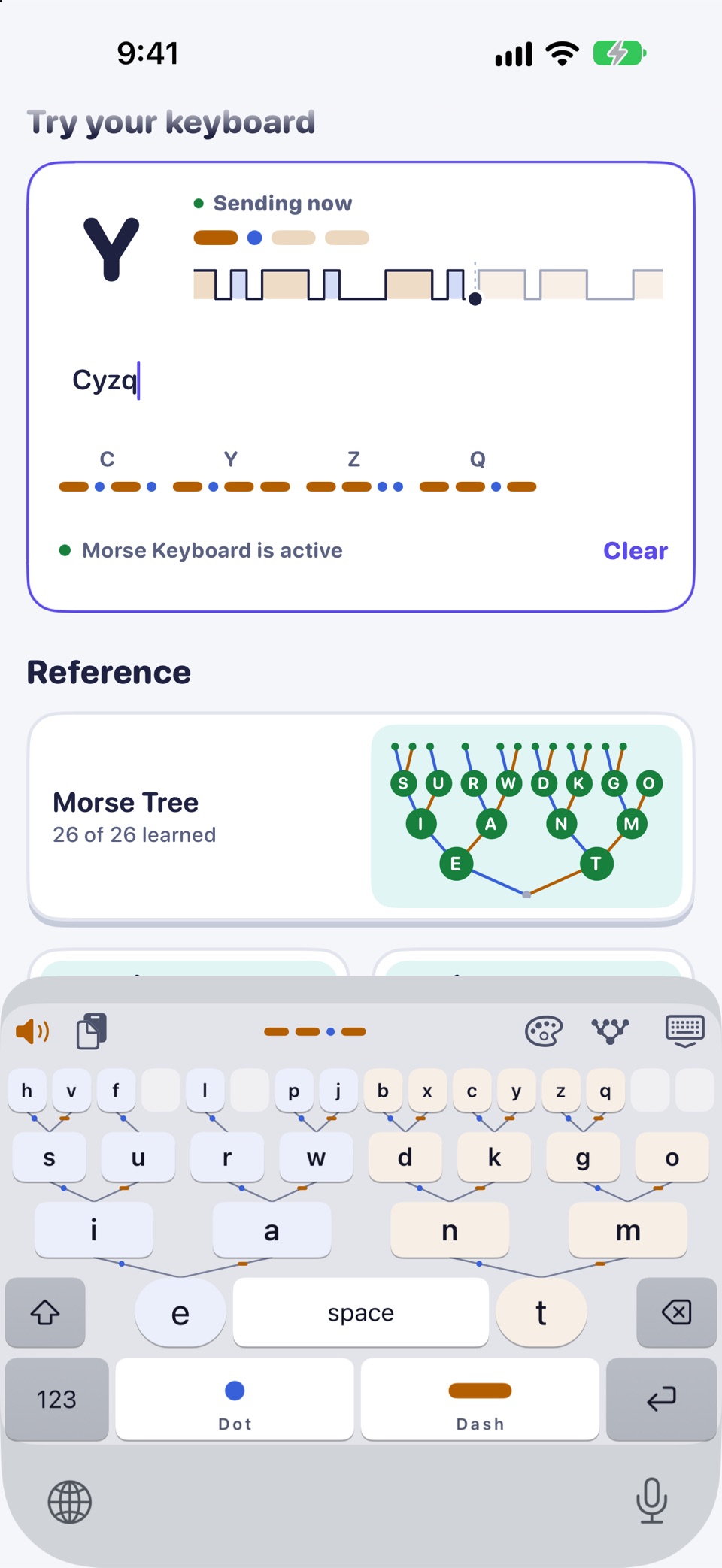
Morse Keyboard is a keyboard laid out as the Morse code tree, with a course of a weekend and four weeks.
Type your messages in Morse, in Messages, Notes, Mail and your other apps. Every message you send is practice. Day 1 of the course is free.
Try it here
This is what the keyboard shows above every word you type. Letters, digits and punctuation work here.
···· · ·−·· ·−·· −−−
The keyboard
Morse code is two marks: a short Dot and a long Dash. Put them in a tree and every letter has a place. Dot climbs left, Dash climbs right.
So the keyboard is also the chart. To type a letter you follow its marks, and after a while your fingers know the way. You see the Dots and Dashes of every word as you type. When you are ready, Blindsight hides the tree and you key from memory.
The course
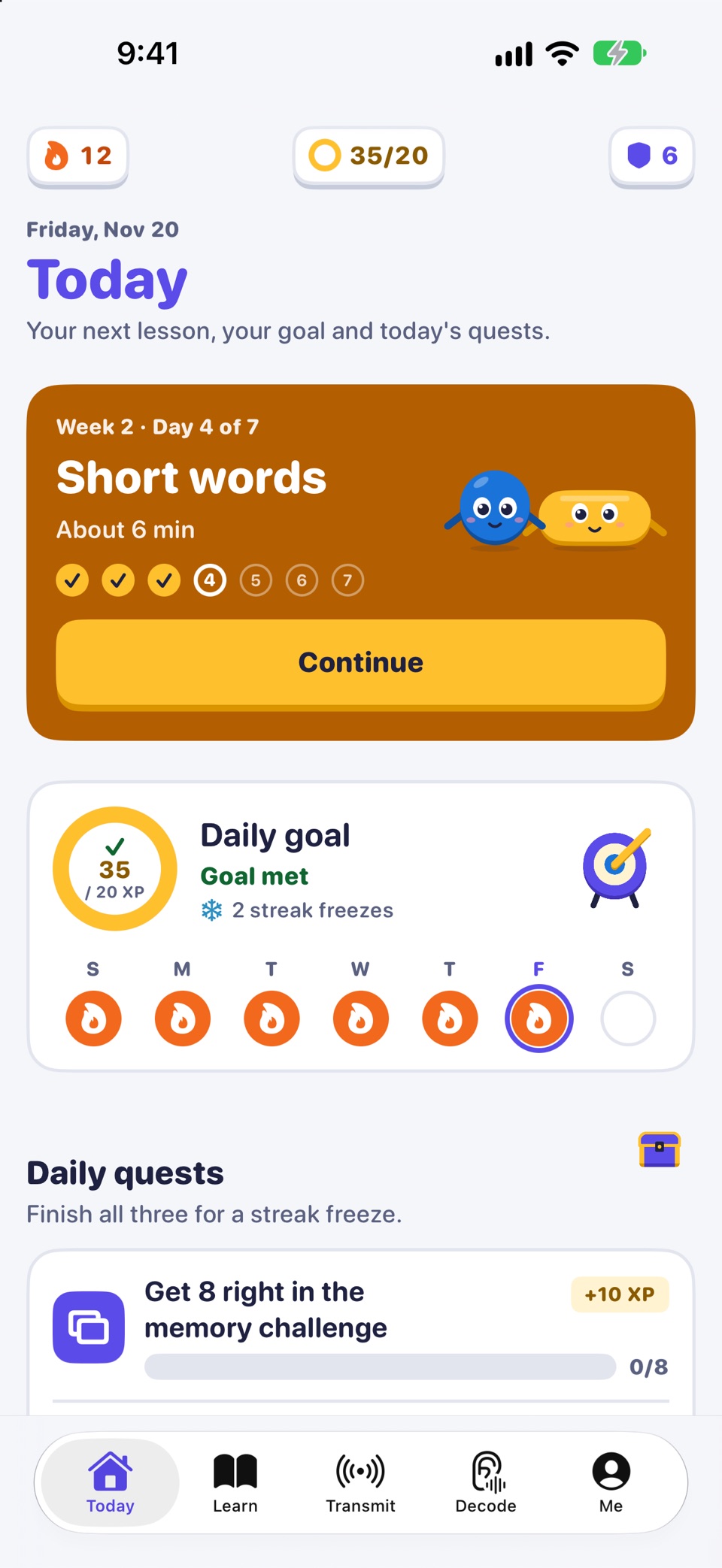
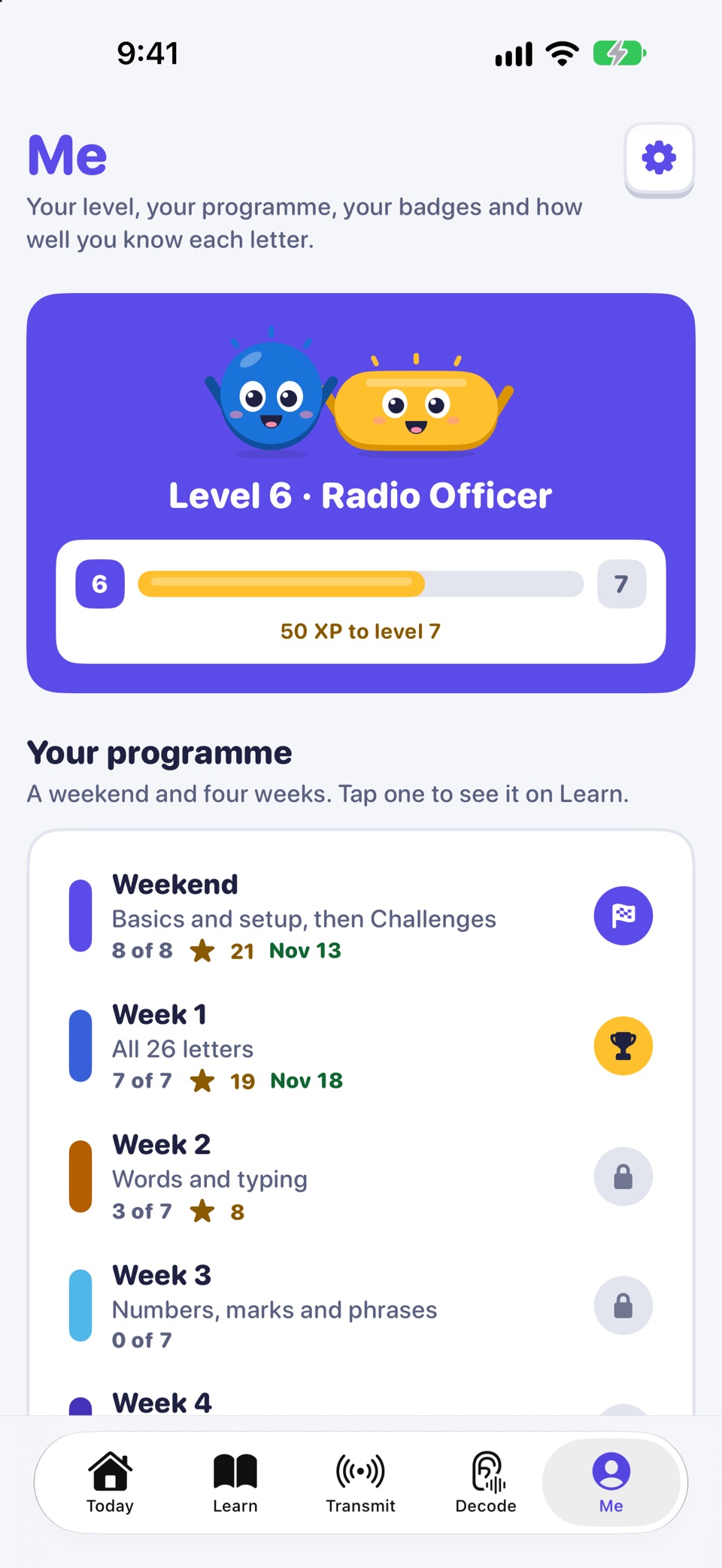
The course is short daily sessions. Nothing is locked by the calendar, so you can go at your own pace.
Day 1 Free
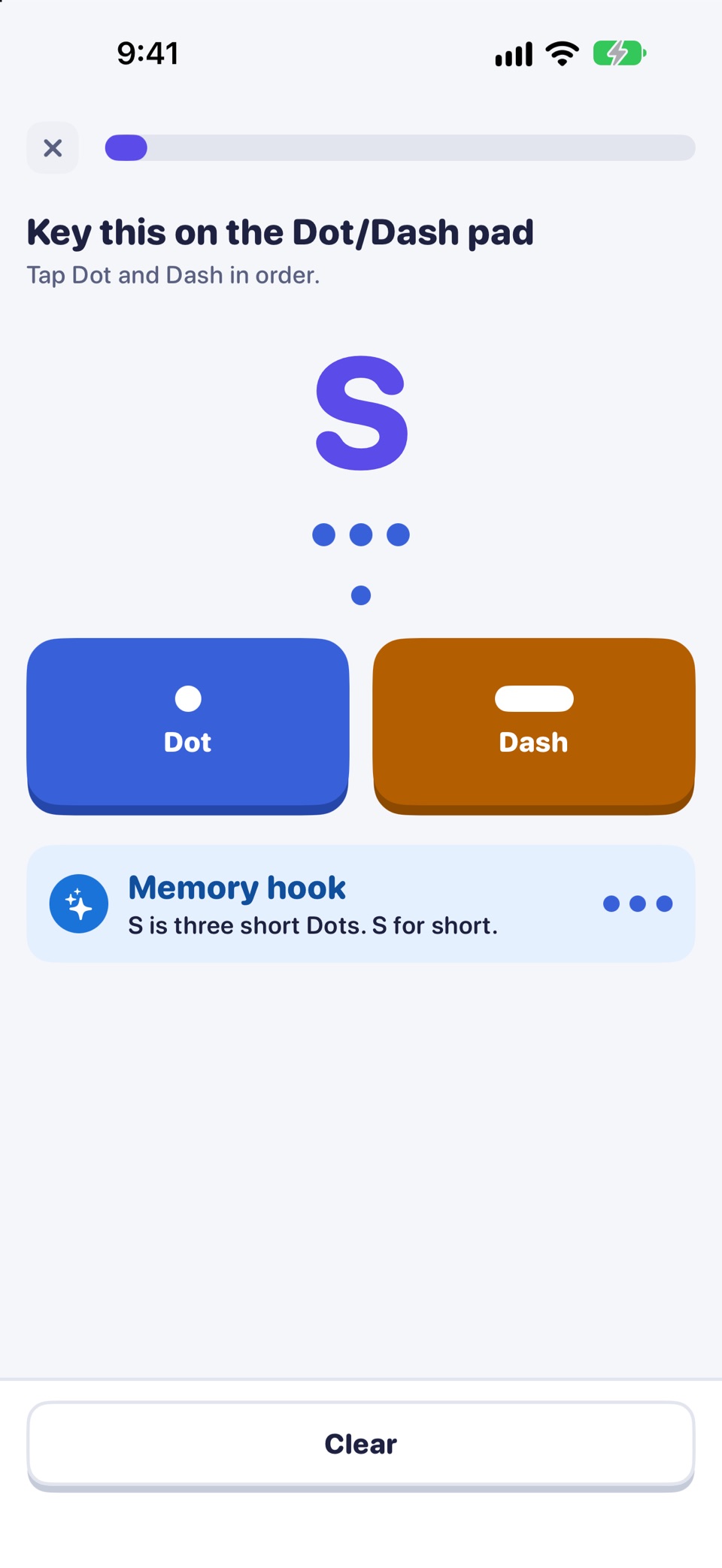
Meet Dot and Dash, learn 14 letters and SOS, and add the keyboard. About 35 minutes.
Day 2 Pro
Four short challenges on your first 14 letters.
Week 1 Pro
The codes of all 26 letters.
Week 2 Pro
Type common words and your own.
Week 3 Pro
Numbers, punctuation and phrases.
Week 4 Pro
Try Morse by ear, time your typing and send a real message.
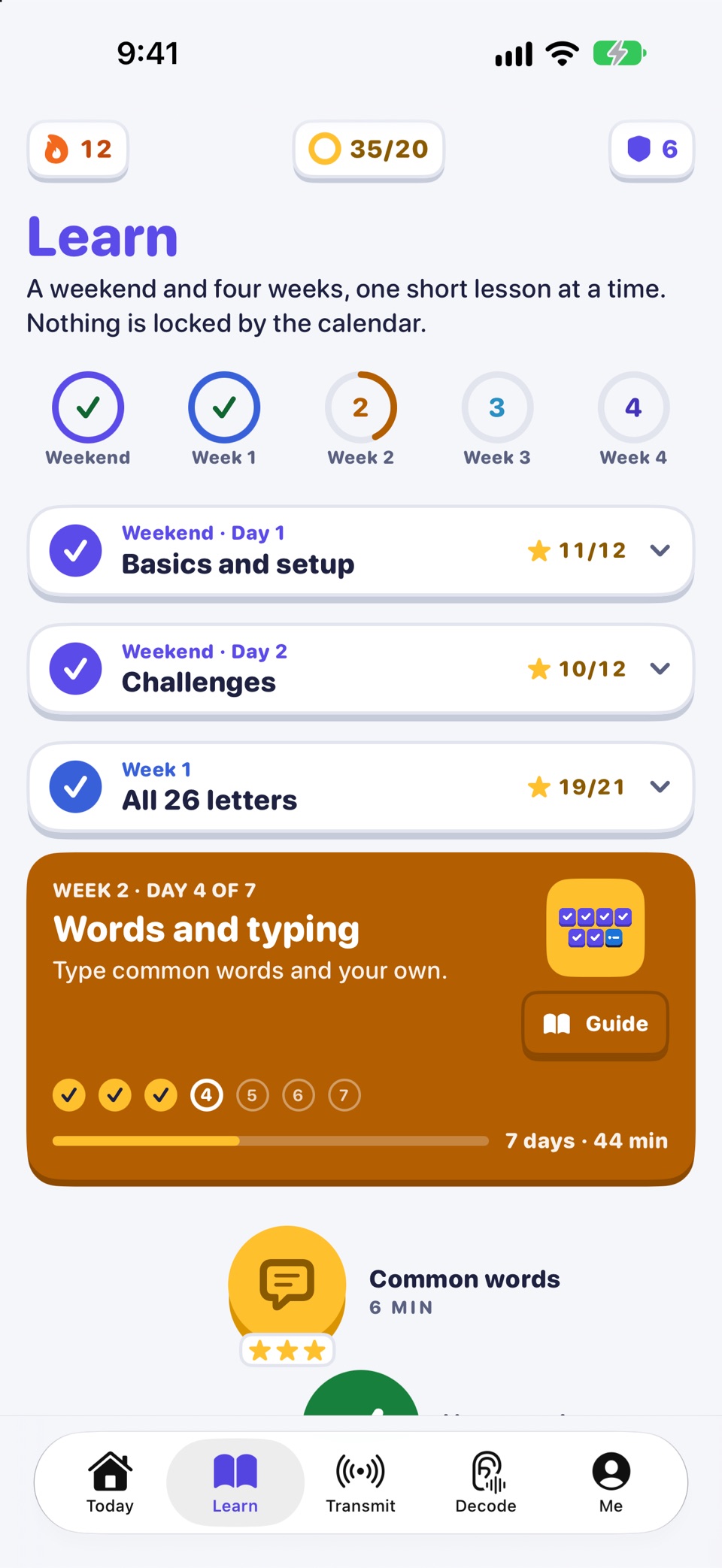

After Day 1, sessions take 4 to 10 minutes a day. Each lesson mixes sound, sight and touch: hear it, read it, key it, match it, type it. Letters you miss come back at the end, and every lesson earns up to three stars.
Practice
When a lesson is done, practice is there whenever you have a minute.
A daily goal, streaks with streak freezes, three daily quests and badges keep track of your practice. A reminder can nudge you once a day, if you want one.

Drills your weakest letters first.

Shows your words per minute.

Asks you to read beeps, screen flashes or eye blinks.
Whistle or beep Morse at your phone and watch it turn into text, right on your device. Or use Tap to Decode and the Morse Machine paper tape.
Type any text and send it as beeps or a screen flash. With Pro, send it as a whistle, train horn, buzzer, telegraph, eye blink or, on iPhone, the flashlight.

Safety. In an emergency, call your local emergency number (for example 112 or 911). A phone light or speaker sending Morse is not a substitute for calling for help.
Free and Pro
Free: the whole Morse keyboard with no limits, Day 1 of the course, daily practice with the letters you know, the first stage of the memory challenge, Transmit, Decode and the charts.
Pro: the rest of the course, every memory-challenge stage, Sound and Haptics and more ways to transmit. One-time purchase, no subscription.
Ten keyboard themes are sold separately.

| Feature | Free | Pro |
|---|---|---|
| The whole Morse keyboard, with no limits | ||
| Day 1 of the course: 14 letters, first words and SOS | ||
| Daily practice with the letters you know | ||
| The first stage of the memory challenge | ||
| Transmit as beeps or a screen flash, and Decode | ||
| Charts for the tree, letters, numbers, symbols and timing | ||
| Day 2 and Weeks 1 to 4 of the course | ||
| Every stage of the memory challenge | ||
| Sound and Haptics: hear and feel every Dot and Dash you key | ||
| Transmit as a whistle, train horn, buzzer, telegraph, eye blink or flashlight |
On the web too
Useful on their own, with or without the app.
Morse code translatorText to Morse and back, with sound and light. Morse code alphabet chartA to Z, numbers and punctuation, with sound. Printable.
 How to learn Morse codeA plain guide to getting started.
 SOS in Morse codeThe signal, how it sounds and where it came from.
 Abbreviations and prosignsCQ, 73, 88, QTH and more.Morse code examplesI love you, hello, SOS and 36 more words and phrases.
No. Pro is a one-time purchase. There is no subscription.
No. Nothing you type is stored or sent. The app has no accounts, no ads, no analytics and no network code, and your progress stays on your device. Privacy policy
No. Day 1 starts with Dot and Dash and the first letters.
iPhone and iPad with iOS 17 or later.
Day 1 is free: Dot, Dash, 14 letters and SOS, in about 35 minutes. For iPhone and iPad with iOS 17 or later.